Sunday, April 10, 2011
Saturday, April 9, 2011
Sure it's stupid, but...
Kudos to you if you made it past the 2 minute mark; it's not that hilarious or entertaining. Sure it's stupid, but think about what the kids are trying to do: use a computer to order a pizza. They know the sequence of questions typical in a pizza order: where do you live, what is your phone number, what would you like, etc. I'm assuming they've set up some of these text-to-speech phrases in advance and are playing them at times in the appropriate moment. How stupid would they be if they set up an actual working system where people can use a computer to order a pizza in a city?
Well guess what; it's already been done. In some cities there already exists online ordering systems for restaurants, grocery stores, movie tickets, and yes, pizza. So what's my point? Mark Zuckerberg started off by creating an online beauty ranking program. His social network, Facebook, is now estimated to be worth $50 billion. The ability to "think outside of the box" is considered to be a great asset in today's rapidly changing world. So don't be so quick to dismiss students' ideas on how to use technology. Of course there are boundaries of decency and what not, but we should encourage creative thinking and not be so particular on one true solution.
The trick would be trying to harness the kid's prank into something productive. He's halfway there already. He has the idea. He knows the questions used in pizza ordering. So how does he put it in a usable format? What if the order is from outside of the delivery area? What are the pathways the system uses when there are different options? Can he draw a diagram of this system? Can he express it in a spreadsheet? Do you see where I'm going here? Teachers also need to think outside the box and devise thoughtful lessons that stimulate young minds. The prankster of today could be tomorrow's billionaire.

Saturday, March 26, 2011
5 Tech Verbs
 Image via WikipediaI've been giving this some thought lately and I've decided our interaction with popular technology can be summed up with five verbs. By popular technology I mean in large part that which has to do with personal computers, and by stating five verbs I'm sure that means there are more I haven't considered. Nevertheless, the verbs I've decided on are commonly used with many applications and are associated with other similar actions. They are as follows: Enter, Copy, Format, Share, and Search. Consider these the "parts of tech speech" in their basic essence in all that you do on your computer or mobile device and all of their applications.
Enter - the most primary of all interactions. In the beginning of computers I'm sure this would have been phrased as Input for its insertion of punch cards or stream of 0's and 1's but today this means much more. We enter whenever we touch the keyboard or click our mouse. We may enter text into a document or enter a formula into a spreadsheet. Selecting a tab, highlighting text, playing a movie or music file, or any other click (or double-click) we make is a form of entering a command. To enter is the origin of which all else follows. You may think that compute is a verb that belongs on this list, but I think that action is done by the computer and not the owner. For it to compute - we must enter its commands. Enter is our communication to the machine to tell it what to do.
Copy - a verb of convenience. To copy is to make an imitation of an original and so copy is the action in which our actions are made easier or more efficient. Besides the obvious print, fax, or scan, we copy portions of our work to complete other tasks within the same document. Copy and paste is used most often with text in word processing but it may also involve transferring images or other elements about the page. We copy links, code, files, text, images, and more in many applications we use.
Format - is the organization of our interaction. Formatting is where we put our personal input on how we want something to appear. Formatting a document includes everything from tabs and fonts to color and spacing. Formatting may involve pasting, deleting, or adding a table. The very documents themselves can be saved in a variety of formats for intended uses. We format when we switch to full-screen views or arrange the homepage on our browser. Blogs such as this one allow the author to choose color schemes and backgrounds. HTML, or Hyper Text Markup Language, enables programmers to format the elements on Web documents. Formatting allows us to decide on the composition of our views.
Share - is how our efforts are communicated. We share with others and ourselves, be it in the form of emails or saving a file to our desktops. It is the way we save what we have done or communicate it to a larger audience. This blog post is a form of sharing, as are adding comments in forums, or communicating via FaceBook, Twittter, or Skype. In its personal form, we share with ourselves when we add bookmarks, print a document, or add events to a calendar. Sharing enables our work to become productive.
Search - is how we find what we desire. We may search for help on how to use an application or we may search for that perfect apple pie recipe. Most of our browser experiences are derived from searches for websites, videos, articles, or images. We search when we are looking for something that someone else has produced.
Well there you have it. Feel free to point out all of the flaws in my logic or blatant omissions you may see. Enter, Copy, Format, Share, and Search. It would have been nice to wrap them in a convenient acronym but you'll just have to find another mnemonic device.

Friday, March 18, 2011
How do you quantify a disaster?
 Image by Getty Images via @daylifeI'm sure like many of you, I have been watching the news coverage of the crisis in Japan. Perhaps because I am a math teacher, I have been more aware of the amount of numbers in the reports. From earthquake scales to radiation values, we seem to need numerical values to understand or quantify just how severe the disaster has been. How high were the tsunami waves? How far did they travel? How much stronger is a 9.0 quake than a 7.9? What is the safe distance from radiation fallout? etc. etc. The worst question of all: How many people died?
Numbers are the universal language. One lesson for your students from all of this is that people understand numerical values. Numbers may be pronounced differently in other languages but they are worth the same no matter where you are. The color blue has a variety of interpretations but the number two is the same for all. And so, although it is difficult for us to comprehend a disaster like this, numbers are a way for all of us to understand the severity of the event.
The Google Earth Blog has posted links to Google Earth material that covers the earthquake in Japan. This includes before and after overlays of the eastern coast of Japan. Here is a link to their post.

Sunday, March 13, 2011
Japan earthquake & tsunami
 Image via WikipediaI am very saddened by the news out of Japan. I've visited it often and always enjoyed my time there. I even experienced an earthquake there several years ago. What's astonishing about the destruction is that Japan is more prepared for earthquakes and tsunamis than anywhere else in the world. Their warning systems and disaster drills are very thorough and Japan has some of the best tsunami experts.
After the quake, we had the tsunami warning on Guam. I was staying by the coast and so I participated in the evacuations we had here. I learned a lot about tsunamis when I developed the Tsunami Warning activity for Real World Math so I knew there was a potential for destruction across the Pacific. Tsunami Warning is a measurement lesson where students examine the 2004 Indian Ocean disaster and calculate the speed of tsunami waves. As I developed that activity I scoured the Internet for tsunami information and photos. If you want to address the Japan disaster and educate your students on tsunamis, then I recommend you take a look at that lesson.

Thursday, February 10, 2011
RWM tops 100,000

Today, I was quite pleased to see that RealWorldMath.org has topped 100,000 visitors. This by far surpasses my expectations of what the site would accomplish. RWM will be 3 years old in April and with this amount of interest I am encouraged to do more.
I came across some research that states that the use of technology in the U.S. classrooms has increased so much that the schools can't keep up. This is both encouraging and alarming. The report, entitled "Deepening Commitment: Teachers Increasingly Rely on Media and Technology" was done by PBS and Grunwald Associates, and was released at the 2011 FETC convention. Among the relevations is that "97 percent of K-12 teachers use digital media in classroom instruction. Sixty-two percent report using it frequently, and 24 percent report using it daily." I am not surprised at the students' appetite for digital media and technology but I am surprised that teachers have become more earnest in its use. Perhaps the tide is finally turning for more meaningful and contemporary curriculum. Unfortunately, it would seem that the schools' budgets can not keep up. Like the rest of us, they are trying to stay abreast of current technology systems and bandwidth. Interactive whiteboards are cited as the most used and sought after device.
Perhaps this report and Real World Math's success are linked. Einstein said, "We can't solve problems by using the same kind of thinking we used when we created them." I believe that technology and not standardized testing is the key to meaningful school reform. I hope RWM offers a more modern and meaningful approach to math instruction. It may not relate directly to a bubble-test but I do believe that it presents mathematics in a way that stimulates thought processes and enables students' comprehension on a more personal level.

Monday, September 6, 2010
Current trends
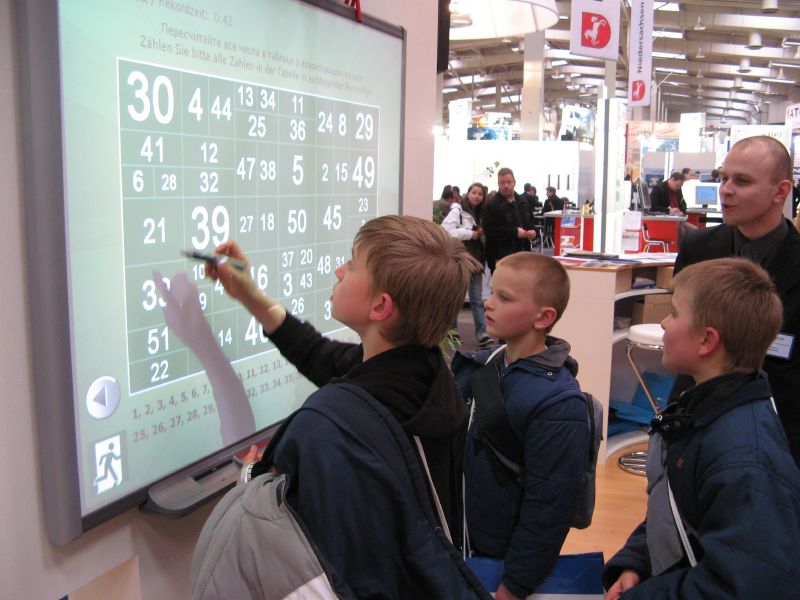
As promised, after reviewing materials and notes from the summer, I have formed some opinions on what I deem to be the current IT trends. Most of this is based on the websites, software packages, and presentations that I picked up on at the 2010 ISTE convention in Denver.
Several movements are emerging or have emerged for Education in the Web 2.0 environment.
- Greater proliferation of quality online educational content by amateurs and professional developers.
- Increased amount of IT usage and studies of its effectiveness.
- Learning systems or online curricula have been designed for online or interactive whiteboard use. Conceivably, these could take the place of textbooks and include standards-based materials for each state. Many learning systems follow a multiple-choice format and are intentionally directed towards standardized test preparation.
- Packaged administrative solutions for districts or schools with online communication, engagement, and management.
- There is a pedagogical dilemma that exists between many technological solutions versus best education practices.
Most likely, I'll be adding to this post so please revisit it in the future.


Subscribe to:
Posts (Atom)